Getting help
Reporting a problem
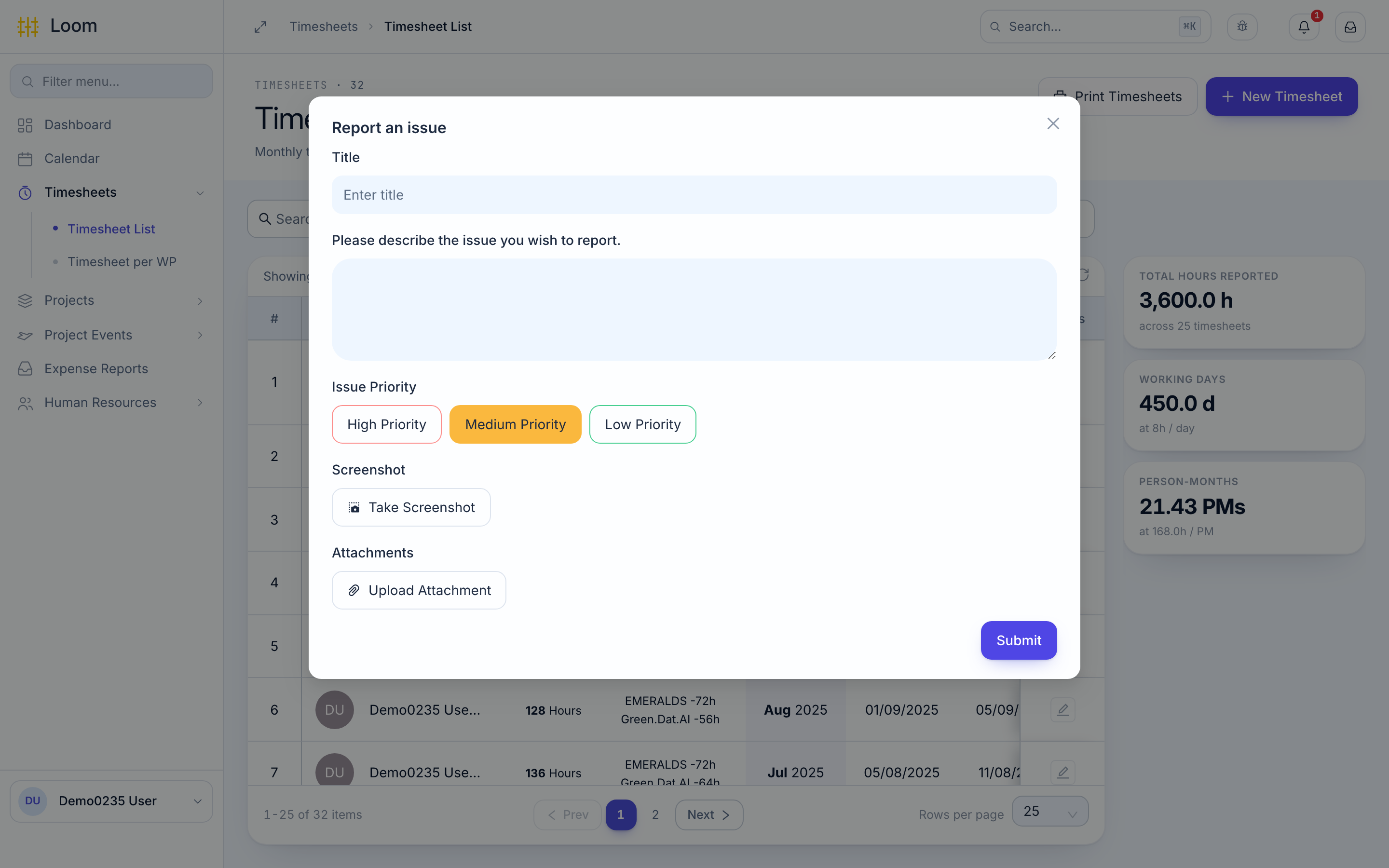
If something in Loom does not work as you expect, tell the support team from the screen where it happened.
- Click the bug icon at the top of the screen. Report an issue opens.
- Give it a short Title.
- Describe what you were doing and what went wrong.
- Click Take Screenshot to attach a picture of the screen behind the window. You can also add files with Upload Attachment.
- Click Submit. Loom shows Received.
What gets sent
To help the support team, Loom also sends the details shown on the screen you were using.
Questions about your data
Some things only your organisation can fix:
| Problem | Ask |
|---|---|
| Your leave allowance is missing or wrong | HR |
| A work package you worked on is not in your timesheet list | Your project manager |
| Your name, contract or working hours are wrong | HR |
| You need a menu you cannot see | Your administrator |
Contact
Email support@eu-loom.com.